

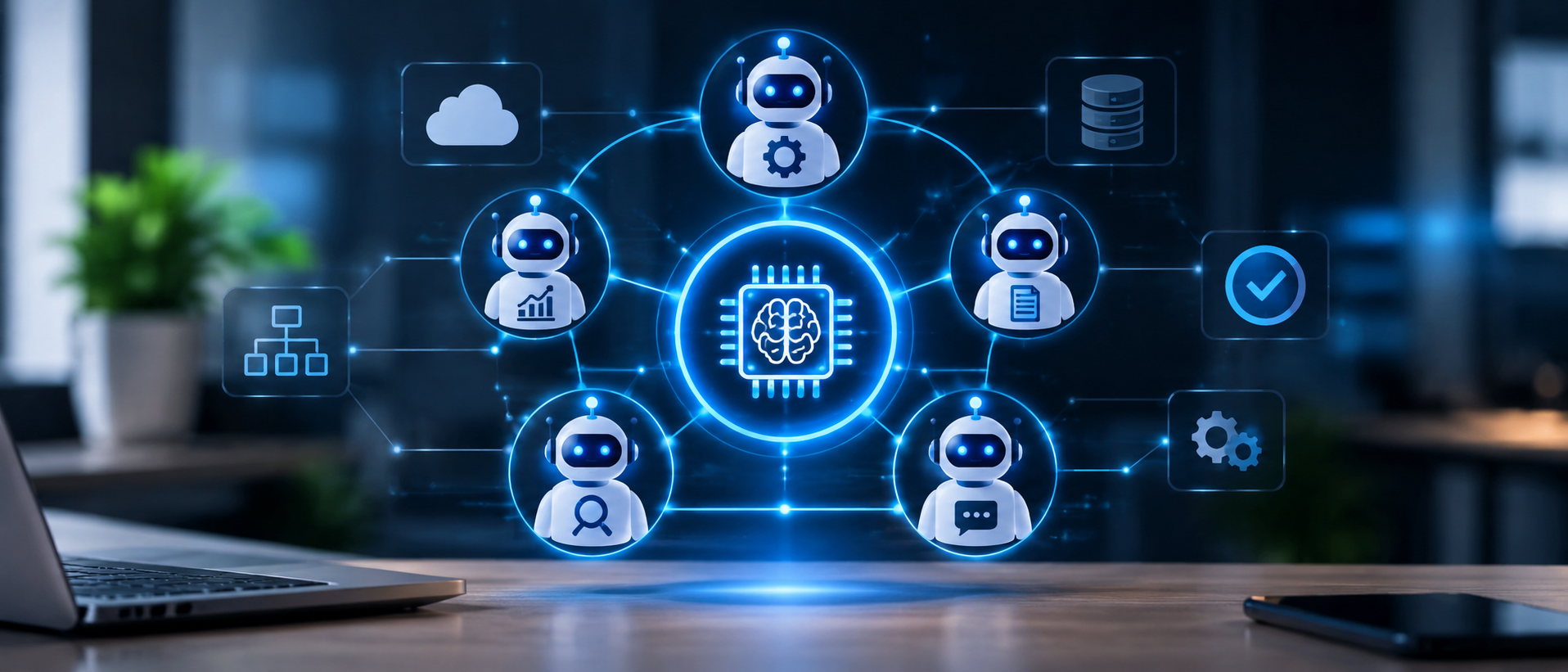
Artificial intelligence is changing how businesses manage information, automate operations and make decisions. While traditional AI applications typically perform specific tasks, modern AI agents can understand instructions, use tools, retrieve information and execute multi-step workflows.
However, when a business needs several AI agents to work together, managing their activities becomes more challenging. Different agents may need to access databases, communicate with external applications, analyze information and complete tasks in a particular sequence.
How can businesses coordinate these activities without creating disconnected or difficult-to-manage AI systems?
The answer is AI Agent Orchestration.
AI Agent Orchestration provides a structured way to coordinate multiple AI agents, manage their responsibilities, exchange information and complete complex workflows. It helps businesses connect individual AI capabilities into a unified system that can support real-world operations.
From customer support and sales automation to enterprise research and document processing, AI Agent Orchestration is becoming an important part of building scalable AI applications.
In this guide, we explain how AI Agent Orchestration works, explore its architecture and design patterns, compare popular frameworks, discuss implementation challenges and share practical recommendations for building reliable enterprise AI systems.
What Is AI Agent Orchestration?
AI Agent Orchestration is the process of coordinating multiple AI agents, tools, models and workflows to accomplish a shared objective.
It determines which agent should perform a task, how responsibilities are assigned, how information is exchanged and how the final result is delivered.
Think of a business team with different specialists. One person handles research, another analyzes information, and someone else prepares the final report. A manager coordinates their responsibilities and makes sure the team works toward the same objective.
AI Agent Orchestration follows a similar approach.
An orchestration system acts as the coordination layer between specialized AI agents. It can assign tasks, manage dependencies, monitor execution, handle errors and combine individual outputs into a meaningful result.
A simple example of AI Agent Orchestration
Imagine a company wants to automate its customer onboarding process.
Instead of asking one AI agent to handle every activity, the company can create a team of specialized agents:
- Customer Verification Agent: Checks customer information and submitted documents.
- Document Processing Agent: Extracts and organizes relevant details.
- Compliance Agent: Reviews information against approved compliance requirements.
- CRM Agent: Updates the customer's record.
- Communication Agent: Prepares onboarding notifications.
The orchestration layer coordinates these agents, determines when each task should run and ensures that information moves between them correctly.
The result is a coordinated workflow in which individual agents perform specialized tasks while working toward one business objective.
AI Agent vs Multi-Agent System vs AI Agent Orchestration
These terms are related, but they describe different parts of an AI application.
| Concept | What it means | Example |
|---|---|---|
| AI Agent | An AI system that performs a task using instructions, models and tools | A customer support agent |
| Multi-Agent System | Multiple specialized AI agents working together | Research, analysis and reporting agents |
| AI Agent Orchestration | The coordination of agents, responsibilities and workflows | Assigning tasks and combining their results |
A single AI agent may be sufficient for a straightforward task. A multi-agent system becomes useful when work requires different areas of specialization. AI Agent Orchestration manages how those agents collaborate.
How Does AI Agent Orchestration Work?
AI Agent Orchestration works by receiving a request, identifying the required activities, assigning responsibilities and coordinating the execution of individual tasks.
Although implementation differs across frameworks, most systems follow a similar process.
1. Receive and Understand the Request
The process begins when a user or business application submits a request.
For example:
"Analyze our latest sales performance, identify underperforming products and prepare a report with recommendations."
The orchestration system interprets the objective and determines what information and capabilities are needed.
2. Break the Request into Smaller Tasks
Complex requests are divided into manageable activities.
For the sales analysis example, the workflow might include:
- Retrieve sales information.
- Identify revenue trends.
- Compare product performance.
- Find products with declining sales.
- Generate recommendations.
- Prepare a final report.
This process is known as task decomposition.
3. Assign Tasks to Specialized Agents
The orchestrator selects agents based on their capabilities, instructions and available tools.
For example:
- A Data Retrieval Agent collects sales information.
- A Sales Analysis Agent evaluates performance.
- A Research Agent gathers relevant market information.
- A Reporting Agent prepares the final document.
Each agent receives the information and permissions required for its assigned task.
4. Coordinate Agent Communication
Agents may need information from other agents before they can continue.
For example, the Sales Analysis Agent needs the data collected by the Data Retrieval Agent. The Reporting Agent needs the completed analysis before preparing the final report.
The orchestration system manages these dependencies and passes relevant information between the agents.
5. Validate Outputs and Handle Errors
An AI-generated response should not automatically be treated as correct.
The orchestration system can validate output formats, check whether required information is missing, enforce business rules and request additional processing when necessary.
If an agent fails, the system may retry the task, use an alternative method or request human assistance.
6. Deliver the Final Result
After the required tasks are completed and validated, the orchestration system combines the outputs into a final result.
Depending on the application, this could be a report, customer response, database update, approved transaction or another business action.
In simple terms, AI Agent Orchestration connects specialized agents, coordinates their activities and manages the complete workflow from request to result.
Understanding the Architecture of an AI Agent Orchestration System
A scalable AI Agent Orchestration system requires more than connecting multiple language models. It needs an architecture that manages communication, execution, data, integrations, security and monitoring.
A typical enterprise architecture contains the following components.
1. User Interface and Application Layer
This is the point where users interact with the AI application.
It may include:
- Web applications.
- Mobile applications.
- Enterprise dashboards.
- Customer support interfaces.
- Internal business portals.
- API-based applications.
The interface receives user requests and presents the results generated by the system.
2. Orchestration Layer
The orchestration layer acts as the coordination engine.
Its responsibilities may include:
- Understanding incoming requests.
- Breaking complex tasks into smaller activities.
- Selecting suitable agents.
- Managing execution sequences.
- Coordinating communication.
- Maintaining workflow state.
- Handling failures and retries.
- Managing approval requirements.
Depending on the application, this layer may use a central orchestrator, a workflow engine or a combination of deterministic application logic and AI-based routing.
3. AI Agent Layer
This layer contains the specialized agents responsible for individual tasks.
Each agent should have a clearly defined:
- Role and objective.
- Set of instructions.
- Model configuration.
- Tool permissions.
- Context and memory requirements.
- Expected input and output format.
For example, an enterprise system may contain research, data analysis, customer support, document processing and reporting agents.
4. Model and Intelligence Layer
AI agents use models to interpret instructions, generate responses and make decisions within their defined responsibilities.
Depending on the use case, organizations may use:
- Large language models (LLMs).
- Multimodal AI models.
- Specialized language models.
- Fine-tuned models.
- Cloud-hosted models.
- Self-hosted open-source models.
Different agents can use different models depending on task complexity, accuracy requirements, latency and cost.
5. Tools and Integration Layer
AI agents become more useful when they can interact with external systems.
This layer connects agents with:
- CRM platforms.
- ERP systems.
- Business APIs.
- Databases.
- Document management platforms.
- Search services.
- Internal enterprise applications.
- Communication tools.
Access should be restricted according to each agent's responsibilities.
6. Data, Knowledge and Memory Layer
Agents may need access to business documents, databases, previous interactions and organizational knowledge.
This layer can include:
- Relational databases.
- NoSQL databases.
- Vector databases.
- Document repositories.
- Knowledge bases.
- Conversation history.
- Retrieval-Augmented Generation (RAG) pipelines.
The system should provide only the information needed for each task while respecting data access policies.
7. Monitoring and Governance Layer
This layer helps organizations understand how the system performs and whether it operates within approved boundaries.
It can monitor:
- Agent execution history.
- Model response quality.
- Tool usage.
- Workflow completion rates.
- Latency and token consumption.
- Failed tasks.
- Security events.
- Human approval activities.
Monitoring is particularly important when AI agents perform business-critical activities.
Suggested architecture diagram: Show a user request entering the orchestration layer, which coordinates specialized agents connected to models, APIs, databases and monitoring systems. Use directional arrows to illustrate how tasks and results move through the architecture.
Common AI Agent Orchestration Patterns
There is no single orchestration pattern that works for every application.
The right approach depends on task complexity, workflow dependencies, execution time, security requirements and the level of autonomy required.
Here are five important AI Agent Orchestration patterns.
1. Sequential Orchestration
Sequential orchestration follows a predefined order. Each agent completes its task and passes the output to the next agent.
Example: Document processing
- A Document Extraction Agent collects information.
- A Validation Agent checks the extracted data.
- A Classification Agent categorizes the document.
- A Compliance Agent reviews relevant requirements.
- A Reporting Agent prepares the final output.
This pattern is suitable for invoice processing, document verification, content production and structured workflows.
Advantages:
- Predictable execution.
- Easy-to-understand task dependencies.
- Straightforward workflow monitoring.
Limitations:
- An early failure can delay the entire process.
- Independent tasks cannot automatically run in parallel.
2. Parallel or Concurrent Orchestration
Parallel orchestration allows multiple agents to work on independent tasks simultaneously.
For example, an AI market research application could assign separate agents to:
- Competitor analysis.
- Customer sentiment analysis.
- Industry research.
- Pricing analysis.
The agents work independently, and an aggregation agent combines their findings into a final report.
This pattern is useful for market research, data analysis, risk assessment and tasks requiring multiple independent perspectives.
Advantages:
- Independent activities can run simultaneously.
- Useful for large research tasks.
- Can reduce total elapsed time.
Limitations:
- May increase resource consumption.
- Requires conflict resolution when agents produce different conclusions.
- Shared systems may introduce rate limits or bottlenecks.
3. Hierarchical Orchestration
Hierarchical orchestration uses a manager or supervisor agent to coordinate multiple specialist agents.
The manager understands the overall objective, assigns responsibilities, reviews outputs and determines what should happen next.
Example: Enterprise business intelligence
- A Manager Agent coordinates the workflow.
- A Finance Agent analyzes financial data.
- A Sales Agent evaluates revenue performance.
- An Operations Agent reviews operational metrics.
- A Reporting Agent prepares the final summary.
The manager combines the specialist outputs and ensures that the final result addresses the original request.
Advantages:
- Centralized coordination.
- Clear task ownership.
- Suitable for complex business workflows.
Limitations:
- The manager can become a bottleneck.
- Poor task delegation can affect the entire workflow.
4. Handoff-Based Orchestration
Handoff orchestration transfers control from one agent to another when a task requires a different specialization.
For example, a customer support agent may initially handle a customer request. If the customer asks for a refund, the system can transfer the task to a billing specialist. If the issue requires technical investigation, control can move to a technical support agent.
Advantages:
- Flexible task routing.
- Useful for dynamic conversations.
- Supports specialist responsibilities.
Limitations:
- Poor routing can cause unnecessary handoffs.
- Agents may repeat work if context is not transferred properly.
- Handoff loops need safeguards.
5. Collaborative or Group-Based Orchestration
In collaborative orchestration, multiple agents contribute to a shared task or discussion.
Each agent can provide information, evaluate previous outputs or offer a different perspective. A coordinator manages the interaction and produces the final result.
Example: Product strategy analysis
- A Product Strategy Agent evaluates business goals.
- A Market Research Agent studies competitors.
- A Technical Feasibility Agent reviews implementation requirements.
- A Risk Assessment Agent identifies potential issues.
Their findings are combined into a structured recommendation.
Advantages:
- Supports multiple perspectives.
- Useful for complex research and planning.
- Can improve review and evaluation processes.
Limitations:
- Discussions can become unnecessarily long.
- Agents may repeat information.
- Clear stopping conditions are essential.
Comparing AI Agent Orchestration Patterns
| Pattern | How it works | Best suited for | Main consideration |
|---|---|---|---|
| Sequential | Agents execute tasks in a fixed order | Document processing and structured workflows | Early failures can affect later stages |
| Parallel | Independent agents work simultaneously | Research and data analysis | Requires result aggregation |
| Hierarchical | A manager agent delegates work | Enterprise assistants and complex operations | Manager bottlenecks |
| Handoff | Control moves between specialist agents | Customer support and dynamic routing | Requires reliable context transfer |
| Collaborative | Agents contribute to a shared task | Strategic research and evaluation | Needs clear stopping rules |
Which pattern should you choose?
Start with the simplest pattern that can reliably solve the business problem.
Sequential orchestration is a good starting point for predictable workflows. Parallel orchestration is useful when tasks are independent. Hierarchical and handoff patterns are appropriate when responsibilities need to change dynamically.
Not every AI application needs multiple agents. A single agent with suitable tools may be simpler, faster and less expensive.
Important Protocols and Technologies for AI Agent Orchestration
Protocols and integration technologies help agents connect with external applications, access tools and exchange information in a structured way.
Some important technologies include the following.
1. Model Context Protocol (MCP)
The Model Context Protocol (MCP) is an open protocol that standardizes how AI applications connect with external tools and data sources.
It uses a client-server architecture and supports capabilities such as:
- Tools: Actions that an AI application can invoke.
- Resources: Information or context provided by a server.
- Prompts: Reusable templates for interactions.
For example, an AI agent could use an MCP-compatible integration to retrieve information from a document repository or interact with an approved business application.
MCP can simplify tool integration, but it does not replace the orchestration logic required to coordinate multiple agents.
2. API-Based Communication
Application Programming Interfaces (APIs) allow agents and orchestration systems to interact with existing business applications.
A sales assistant, for example, could use APIs to:
- Retrieve customer records.
- Check inventory.
- Access sales information.
- Create follow-up tasks.
- Update CRM records.
API integrations are particularly important for enterprise systems that must work with existing business infrastructure.
3. Agent-to-Agent Communication
Agent-to-agent communication enables specialized agents to exchange instructions, task information and results.
Communication may use structured messages, shared workflow state, direct delegation or standardized protocols.
A well-designed mechanism should define:
- The sender and recipient.
- The task being communicated.
- Required input information.
- Expected response format.
- Error-handling behavior.
- Ownership of the next action.
4. Workflow Engines and Event-Driven Architecture
Workflow engines manage task execution, dependencies, retries and long-running processes.
Event-driven architecture allows workflows to begin when specific events occur.
For example, when a customer places an order, an event could trigger a workflow that checks the order, verifies inventory, retrieves delivery information and prepares a confirmation.
Combining workflow engines with AI agents can improve reliability by keeping business-critical execution rules separate from model-generated decisions.
5. Agent-to-Agent Protocols
Agent-to-Agent (A2A) communication protocols are designed to support communication and collaboration between agents, including agents built using different frameworks or operated by different services.
They can be useful in distributed environments where organizations need agents to discover capabilities and delegate work across system boundaries.
The appropriate protocol depends on interoperability requirements, security policies and the architecture of the application.
Popular AI Agent Orchestration Frameworks
Selecting the right framework is an important part of building an AI agent system.
Different frameworks offer different approaches to workflow management, agent collaboration, state handling and tool integration.
Here are five widely used options.
1. LangGraph
LangGraph supports stateful, graph-based agent workflows.
Developers can define nodes for agents or processing steps and edges that determine how execution moves through the application.
Key capabilities include:
- Stateful workflow management.
- Conditional routing.
- Multi-agent coordination.
- Human-in-the-loop workflows.
- Persistence and checkpointing.
Best suited for: Complex applications that require explicit control over workflow execution and state.
Official documentation: https://docs.langchain.com/oss/python/langgraph/overview
2. CrewAI
CrewAI focuses on coordinating specialized AI agents with defined roles and responsibilities.
Developers can organize agents into tasks and workflows, making it useful for applications that require multiple agents to collaborate.
Common applications include:
- Market research.
- Business analysis.
- Content research.
- Report generation.
- Multi-step automation.
Best suited for: Role-based agent teams and collaborative workflows.
Official documentation: https://docs.crewai.com/
3. Microsoft Agent Framework
Microsoft Agent Framework provides tools for building AI agents and orchestrated workflows.
It brings together agent capabilities, workflow execution and integrations for enterprise application development.
Its supported approaches include sequential, concurrent, handoff and group-based orchestration patterns.
Best suited for: Enterprise applications, particularly organizations working with Microsoft technologies.
Official documentation: https://learn.microsoft.com/en-us/agent-framework/overview/
4. OpenAI Agents SDK
The OpenAI Agents SDK provides a code-first approach to building applications with AI agents.
Its capabilities include:
- Agent instructions and tools.
- Handoffs between agents.
- Agents used as tools by other agents.
- Guardrails.
- Human review.
- Workflow tracing.
It supports starting with a single agent and introducing additional agents when the application requires more specialization.
Best suited for: Developers building tool-using agents and multi-agent applications with explicit delegation.
Official documentation: https://developers.openai.com/api/docs/guides/agents/sdk
5. Google Agent Development Kit (ADK)
Google's Agent Development Kit (ADK) supports the development, testing and deployment of AI agents.
It provides agent composition and workflow-oriented development capabilities for applications that require structured execution.
Best suited for: Developers building agent-based applications within Google Cloud environments or Google's AI ecosystem.
Official documentation: https://google.github.io/adk-docs/
AI Agent Framework Comparison
| Framework | Main strength | Suitable for |
|---|---|---|
| LangGraph | Stateful graph-based workflows | Complex and controlled execution |
| CrewAI | Role-based agent collaboration | Specialized agent teams |
| Microsoft Agent Framework | Agent and workflow development | Enterprise applications |
| OpenAI Agents SDK | Tools, handoffs and guardrails | Tool-using AI applications |
| Google ADK | Agent composition and development | Google ecosystem applications |
There is no universally best framework. The right choice depends on the programming language, workflow complexity, deployment environment, model providers and integration requirements.
Before making a decision, evaluate each framework using a realistic proof of concept rather than relying only on feature lists.
Real-World Applications of AI Agent Orchestration
AI Agent Orchestration can support business functions that involve multiple systems, decisions and specialized activities.
Here are some practical examples.
1. Customer Support Automation
Customer support teams handle billing questions, technical problems, order tracking and product inquiries.
An orchestrated AI support system can identify a request and route it to the appropriate specialist agent.
For example:
- A Classification Agent identifies the customer's issue.
- A Knowledge Agent retrieves relevant support information.
- A Technical Agent investigates technical problems.
- A Billing Agent handles payment-related queries.
- A Response Agent prepares the final answer.
If the request involves a sensitive decision or an action requiring authorization, the system can request human approval.
This approach can improve response consistency and reduce repetitive support work.
2. Sales and CRM Automation
Sales teams manage large amounts of customer information, follow-ups and communication.
AI agents can coordinate activities such as:
- Researching potential customers.
- Analyzing customer profiles.
- Identifying sales opportunities.
- Preparing personalized communication.
- Updating CRM records.
- Scheduling follow-up activities.
For example, when a new lead enters a CRM, an orchestration workflow could research the company, summarize relevant information and prepare a follow-up draft for the sales representative.
3. Financial Analysis and Reporting
Financial workflows often involve collecting information from multiple sources, checking calculations and preparing reports.
A multi-agent system can assign separate responsibilities to data retrieval, financial analysis, anomaly detection and report generation agents.
Human approval should remain part of workflows involving sensitive financial decisions, payments or regulatory obligations.
4. Healthcare Administration
Healthcare organizations manage appointments, documents, insurance information and patient communication.
AI agents can support administrative activities such as:
- Appointment coordination.
- Document classification.
- Insurance information processing.
- Patient inquiry management.
- Administrative report preparation.
These applications require strict privacy controls, appropriate access permissions and human oversight. AI-generated outputs should not be treated as independent clinical decisions.
5. E-Commerce Operations
An e-commerce business can use multiple AI agents to coordinate activities across its operations.
For example:
- An Order Agent retrieves order information.
- An Inventory Agent checks product availability.
- A Delivery Agent retrieves shipment updates.
- A Communication Agent prepares customer notifications.
- A Returns Agent handles return requests according to approved policies.
This connects different operational systems through a coordinated workflow.
6. Document Processing and Knowledge Management
Organizations manage contracts, invoices, reports, policies and other business documents.
An orchestrated document processing system can extract information, classify files, validate data and route documents for review.
A Retrieval-Augmented Generation (RAG) agent can also retrieve information from approved internal documents to support employee questions.
How AI Agent Orchestration Supports AI Automation
Businesses often begin their AI journey with individual tools that perform specific tasks. However, real business processes usually involve several connected activities.
For example, processing a customer request may require accessing a CRM, checking an order database, retrieving company policies and preparing a response.
This is where orchestration becomes valuable for broader AI automation initiatives.
Instead of automating isolated activities, businesses can coordinate multiple AI-powered steps within one workflow.
Example: Automated Lead Management
Consider a business that receives new leads through its website.
An orchestrated workflow could operate as follows:
- A new lead enters the CRM.
- A Research Agent collects relevant company information.
- A Qualification Agent evaluates the lead against predefined criteria.
- A Personalization Agent prepares a communication draft.
- A CRM Agent updates the lead record.
- A sales representative reviews and approves the next action.
The orchestration layer manages the sequence and ensures that each agent receives the information it needs.
This can reduce manual coordination, improve process consistency and help employees focus on higher-value activities.
It is important to understand that AI automation and AI Agent Orchestration are related but different concepts. AI automation refers to using AI to perform or support business tasks, while orchestration coordinates the agents, systems and activities involved in an AI-powered workflow.
The Role of Generative AI in AI Agent Orchestration
Generative AI provides many of the capabilities that make modern AI agents useful.
Large language models can interpret natural-language instructions, summarize information, generate structured outputs and help determine which tools may be useful for a task.
Within an orchestration architecture, Generative AI can support:
- Understanding user requests.
- Breaking complex instructions into smaller tasks.
- Selecting appropriate tools.
- Generating responses.
- Summarizing information from multiple agents.
- Adapting workflows to changing requirements.
For example, an enterprise research application could use a language model to interpret a business question, delegate research activities to specialist agents and combine their findings into a structured report.
However, Generative AI alone does not provide complete orchestration.
A production-ready system also requires application logic, workflow management, integrations, state handling, access controls and monitoring.
Combining Generative AI with a well-designed orchestration architecture helps businesses build more capable and context-aware applications.
Challenges of Implementing AI Agent Orchestration
Although AI Agent Orchestration offers significant opportunities, it also introduces technical and operational challenges.
Organizations should consider these challenges before moving an application into production.
1. Managing System Complexity
Every additional agent introduces another component that needs instructions, tools, permissions and testing.
A large number of agents can make the system difficult to maintain.
How to address it: Begin with a small number of clearly defined agents. Add more only when specialization provides measurable value.
2. Agent Communication Problems
Agents may misunderstand instructions, exchange incomplete information or generate incompatible outputs.
These issues can affect the entire workflow.
How to address it: Use structured message formats, clear task definitions, validated output schemas and explicit communication rules.
3. Latency and Operational Costs
Multi-agent workflows can involve multiple model calls, tool requests and processing stages.
Parallel execution may reduce elapsed time, but it can also increase simultaneous resource usage.
How to address it: Monitor model usage, set execution limits, choose suitable models for individual tasks and avoid unnecessary agent interactions.
4. Hallucinations and Incorrect Outputs
AI agents can produce inaccurate information or make incorrect assumptions.
If one agent passes incorrect information to another, the error may continue through the workflow.
How to address it: Validate important outputs, use trusted data sources, implement verification steps and require human review for high-impact decisions.
5. Security and Data Privacy
Agents may interact with sensitive business information and external applications.
Poorly designed permissions can expose confidential information or allow unintended actions.
How to address it: Apply role-based access control, least-privilege permissions, secure API authentication and data protection policies.
6. Debugging and Monitoring
When a workflow contains several agents, identifying the cause of a failure can become difficult.
A task might fail because of an incorrect model response, an API issue, a routing error or an invalid intermediate output.
How to address it: Maintain execution logs, distributed traces, error records and clear workflow-level monitoring.
Security and Governance Best Practices
Security should be part of the architecture from the beginning rather than added after deployment.
AI agents may retrieve information, execute tools, update records and interact with external systems. These capabilities introduce risks if autonomy and permissions are not properly controlled.
Apply Least-Privilege Access
Give each agent access only to the tools, information and operations required for its assigned task.
A research agent may need permission to read documents, but it should not automatically receive permission to delete or modify them.
Introduce Human Approval for Sensitive Actions
Certain activities should require explicit human authorization.
Examples include:
- Processing payments.
- Issuing refunds.
- Deleting business records.
- Sending legally significant communications.
- Changing customer account permissions.
- Approving financial transactions.
Human approval helps prevent unintended actions.
Protect Against Prompt Injection
Prompt injection occurs when malicious or misleading instructions influence an AI model through user input, retrieved documents or external content.
Organizations should treat external content as untrusted, restrict tool permissions, validate actions and prevent retrieved instructions from overriding system-level policies.
Validate Agent Outputs
Before using an agent's output in another system, check its structure, accuracy and authorization.
For example, an agent-generated database query should not be executed against a production database without appropriate validation and access controls.
Set Execution Limits
Use safeguards such as:
- Maximum agent iterations.
- Tool-call limits.
- Timeouts.
- Retry limits.
- Token and budget limits.
- Workflow termination conditions.
These controls help prevent infinite loops and excessive resource consumption.
Maintain Audit Trails
Record relevant activities, including agent decisions, tool invocations, approvals, workflow transitions and errors.
Audit trails make it easier to investigate unexpected behavior and demonstrate operational accountability.
How to Build a Scalable AI Agent Orchestration System
Building a scalable system requires a structured implementation approach. The objective should not simply be to create multiple agents, but to develop a reliable solution that addresses a genuine business requirement.
Here is a practical implementation roadmap.
Step 1: Identify the Business Problem
Start by understanding which business process needs improvement.
Identify:
- Current workflow challenges.
- Repetitive manual activities.
- Systems involved.
- Required business outcomes.
- Security and compliance requirements.
Avoid introducing multiple agents unless the problem genuinely requires specialized capabilities or coordinated decision-making.
Step 2: Define Agent Responsibilities
Identify the tasks that can be handled by individual agents.
Each agent should have:
- A clearly defined role.
- A specific objective.
- Relevant instructions.
- Approved tools.
- Access permissions.
- Expected input and output formats.
Clear responsibilities reduce duplication and make the architecture easier to manage.
Step 3: Select the Orchestration Pattern
Choose a suitable pattern based on how tasks depend on each other.
For fixed processes, sequential orchestration may be sufficient.
For independent research activities, parallel orchestration can be useful.
For workflows requiring specialist delegation, hierarchical or handoff-based orchestration may be more appropriate.
Step 4: Select the Technology Stack
Evaluate frameworks, models, databases, APIs and infrastructure.
Consider:
- Development language.
- Agent framework.
- Model provider.
- Workflow engine.
- Database and vector storage.
- API integrations.
- Monitoring tools.
- Hosting environment.
The technology stack should support current requirements and future expansion.
Step 5: Build Communication and Integration Mechanisms
Connect agents with the tools and systems they need.
Use structured communication, validated data formats and clear error-handling procedures.
For external tool integrations, consider standardized approaches such as MCP where they fit the application's requirements.
Step 6: Implement Security and Governance
Define permissions before allowing agents to access business systems.
Introduce authentication, authorization, approval workflows, input validation, output validation and monitoring.
Test how the system behaves when agents receive incomplete, misleading or malicious information.
Step 7: Test Individual Agents and Complete Workflows
Testing should cover both individual agent performance and overall workflow reliability.
Evaluate:
- Task completion accuracy.
- Response quality.
- Tool selection.
- Agent routing.
- Error recovery.
- Security controls.
- Execution time.
- Operational costs.
Test realistic scenarios, including failures and unexpected user requests.
Step 8: Deploy, Monitor and Optimize
Start with a controlled deployment and gradually expand usage.
Monitor real-world performance and use the collected data to improve prompts, routing logic, tool integrations and agent responsibilities.
Scalability should be evaluated across workload volume, concurrency, model capacity, infrastructure costs and failure recovery.
Best Practices for Reliable Multi-Agent AI Systems
For long-term success, organizations should follow these architectural principles.
| Best practice | Why it matters |
|---|---|
| Start with a simple architecture | Avoids unnecessary coordination overhead |
| Define clear agent responsibilities | Reduces task duplication |
| Use structured outputs | Makes information exchange more reliable |
| Keep workflows observable | Helps identify failures and bottlenecks |
| Control agent permissions | Reduces security risks |
| Build failure recovery | Improves workflow reliability |
| Set execution limits | Prevents unnecessary loops and costs |
| Include human approval | Protects sensitive business actions |
| Measure business outcomes | Connects technical performance with business value |
A successful orchestration system is not necessarily the one with the most agents. It is the one that completes the required tasks reliably, securely and efficiently.
What Is the Future of AI Agent Orchestration?
AI systems are becoming more capable of handling complex tasks, interacting with external applications and coordinating specialized workflows.
As organizations move beyond standalone AI assistants, orchestration will play an increasingly important role in connecting AI capabilities with real business operations.
Several developments are shaping this direction.
Greater Adoption of Multi-Agent Systems
Organizations are exploring specialized agent teams that can handle research, analysis, customer interactions and operational tasks.
This allows complex activities to be divided into manageable responsibilities.
More Standardized Tool Integrations
Technologies such as MCP are helping establish standardized ways for AI applications to connect with tools and data sources.
Agent communication protocols are also evolving to support collaboration across different agent environments.
Improved Human-AI Collaboration
Future orchestration systems will increasingly combine autonomous task execution with human approval and supervision.
This is particularly important for regulated industries and business-critical operations.
Stronger Governance and Observability
As AI agents gain access to more business systems, organizations will need better ways to monitor their actions, evaluate outputs and manage permissions.
Security and governance will become essential parts of enterprise agent architecture.
Integration with Existing Business Platforms
AI agents will increasingly operate alongside CRM, ERP, HR, finance and customer support systems.
This creates opportunities to connect intelligent decision-making with existing business workflows.
The long-term value of AI Agent Orchestration will depend not only on how intelligent individual agents become, but also on how reliably they work together.
How Spectrum Future Tech Can Help Businesses Build AI-Powered Solutions
Implementing an enterprise AI solution requires more than selecting a model or connecting a few agents. Businesses need an architecture that aligns with their objectives, integrates with existing systems and operates reliably at scale.
Spectrum Future Tech helps organizations explore and develop AI-powered solutions based on their business requirements.
Our capabilities can support organizations at different stages of their AI journey, including:
- AI Strategy and Consulting: Identify suitable AI opportunities and define an implementation roadmap.
- Custom AI Application Development: Build AI-powered applications around specific business workflows.
- AI Agent Development: Develop specialized agents that can interact with approved tools and business systems.
- Multi-Agent System Development: Design coordinated agent architectures for complex workflows.
- Enterprise AI Integration: Connect AI applications with existing APIs, databases and business platforms.
- Workflow Optimization: Identify opportunities to improve operational processes through intelligent automation.
Whether you are planning your first AI-powered application or expanding an existing AI ecosystem, the right architecture can help you build a solution that supports long-term business requirements.
Explore our AI automation capabilities to understand how intelligent technologies can support business workflows, and learn more about our Generative AI solutions for developing advanced AI-powered applications.
Ready to explore AI Agent Orchestration for your business?
Contact Spectrum Future Tech to discuss your requirements and identify the right approach for building scalable AI solutions.
Conclusion
AI Agent Orchestration is an important part of building intelligent applications that can coordinate multiple agents, tools and business systems.
From customer support and sales operations to enterprise research and document processing, orchestration can help organizations manage complex workflows more effectively.
However, successful implementation requires more than deploying multiple AI agents. Businesses need clear agent responsibilities, suitable orchestration patterns, reliable integrations, strong security controls and continuous monitoring.
The best approach is to start with a well-defined business problem, select the simplest architecture that meets the requirements and expand the system as its needs evolve.
With the right strategy and technical foundation, AI Agent Orchestration can help businesses move from isolated AI capabilities toward connected, scalable and intelligent business applications.
Frequently Asked Questions About AI Agent Orchestration
1. What is AI Agent Orchestration in simple terms?
AI Agent Orchestration is the process of coordinating multiple AI agents so they can work together to complete complex tasks. It manages task assignment, communication, workflow execution and result validation.
2. How does AI Agent Orchestration work?
It works by receiving a request, breaking it into smaller tasks, assigning those tasks to suitable agents, coordinating communication, validating outputs and combining the results into a final response or action.
3. What is the difference between an AI agent and AI Agent Orchestration?
An AI agent performs a specific task using its instructions, model and available tools. AI Agent Orchestration coordinates one or more agents, manages their responsibilities and controls how they work together.
4. What are the main AI Agent Orchestration patterns?
Common patterns include sequential, parallel or concurrent, hierarchical, handoff-based and collaborative orchestration. Each pattern supports different workflow and coordination requirements.
5. What is a multi-agent AI system?
A multi-agent AI system consists of multiple specialized AI agents that collaborate to achieve a shared objective. Each agent may have a different role, set of tools or area of expertise.
6. What is the best framework for AI Agent Orchestration?
There is no single best framework for every project. LangGraph, CrewAI, Microsoft Agent Framework, OpenAI Agents SDK and Google ADK are options worth evaluating based on workflow complexity, integrations, developer requirements and deployment environment.
7. Is AI Agent Orchestration suitable for enterprise applications?
Yes. It can support enterprise applications involving customer service, document processing, business intelligence, sales operations, research and internal knowledge management. Successful deployment requires suitable security, monitoring and governance controls.
8. What is the role of MCP in AI Agent Orchestration?
Model Context Protocol (MCP) provides a standardized way for AI applications to connect with external tools and data sources. It can simplify integrations, but it does not replace the orchestration logic required to coordinate agents.
9. Can AI agents work together without a central orchestrator?
Yes. Some architectures allow agents to coordinate through direct communication or shared mechanisms rather than relying on one central manager. However, they still need defined communication rules, task ownership and coordination controls.
10. What are the biggest challenges of AI Agent Orchestration?
Common challenges include workflow complexity, communication errors, inaccurate outputs, latency, operational costs, security risks and debugging difficulties. These challenges can be reduced through clear agent responsibilities, structured workflows, testing and monitoring.
11. How does AI Agent Orchestration improve business automation?
It connects multiple AI-powered activities into coordinated workflows. Instead of automating individual tasks separately, businesses can coordinate activities such as information retrieval, data analysis, customer communication and system updates.
12. Is AI Agent Orchestration the same as Generative AI?
No. Generative AI focuses on creating content and interpreting information, while AI Agent Orchestration coordinates agents, tools and workflows. Generative AI models can power agents within an orchestration system.
13. How can businesses make AI Agent Orchestration secure?
Businesses should apply least-privilege access, secure authentication, input and output validation, human approval for sensitive actions, execution limits and continuous monitoring.
14. Can AI Agent Orchestration reduce operational costs?
It can reduce certain manual activities and improve workflow efficiency. However, multi-agent systems also introduce model usage, infrastructure and integration costs. The overall financial benefit depends on the use case, architecture and workload.
15. What is the difference between sequential and parallel orchestration?
Sequential orchestration executes tasks one after another, while parallel orchestration runs independent tasks simultaneously. Sequential workflows are suitable for dependent activities, whereas parallel workflows are useful when multiple tasks can be completed independently.